iPhone · iPad · Mac · Watch · Apple TV
Libellus
The notebook for all of life.
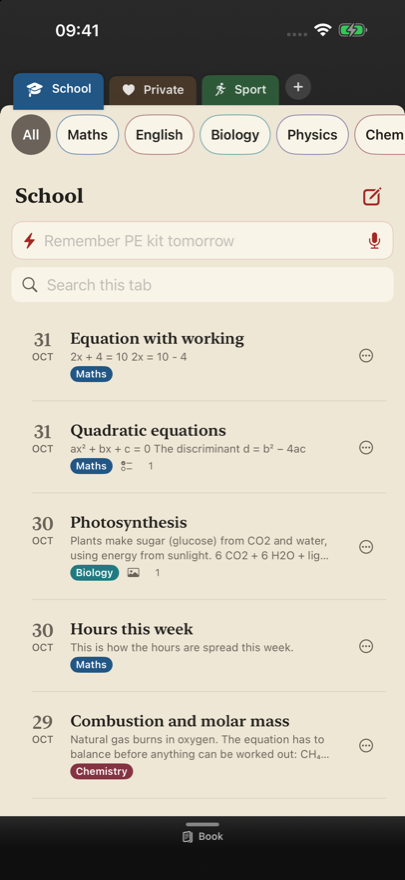
It opens like a notebook, it turns pages like one, and it holds one part of your life per leather tab: school, private, sport, work.

What it is
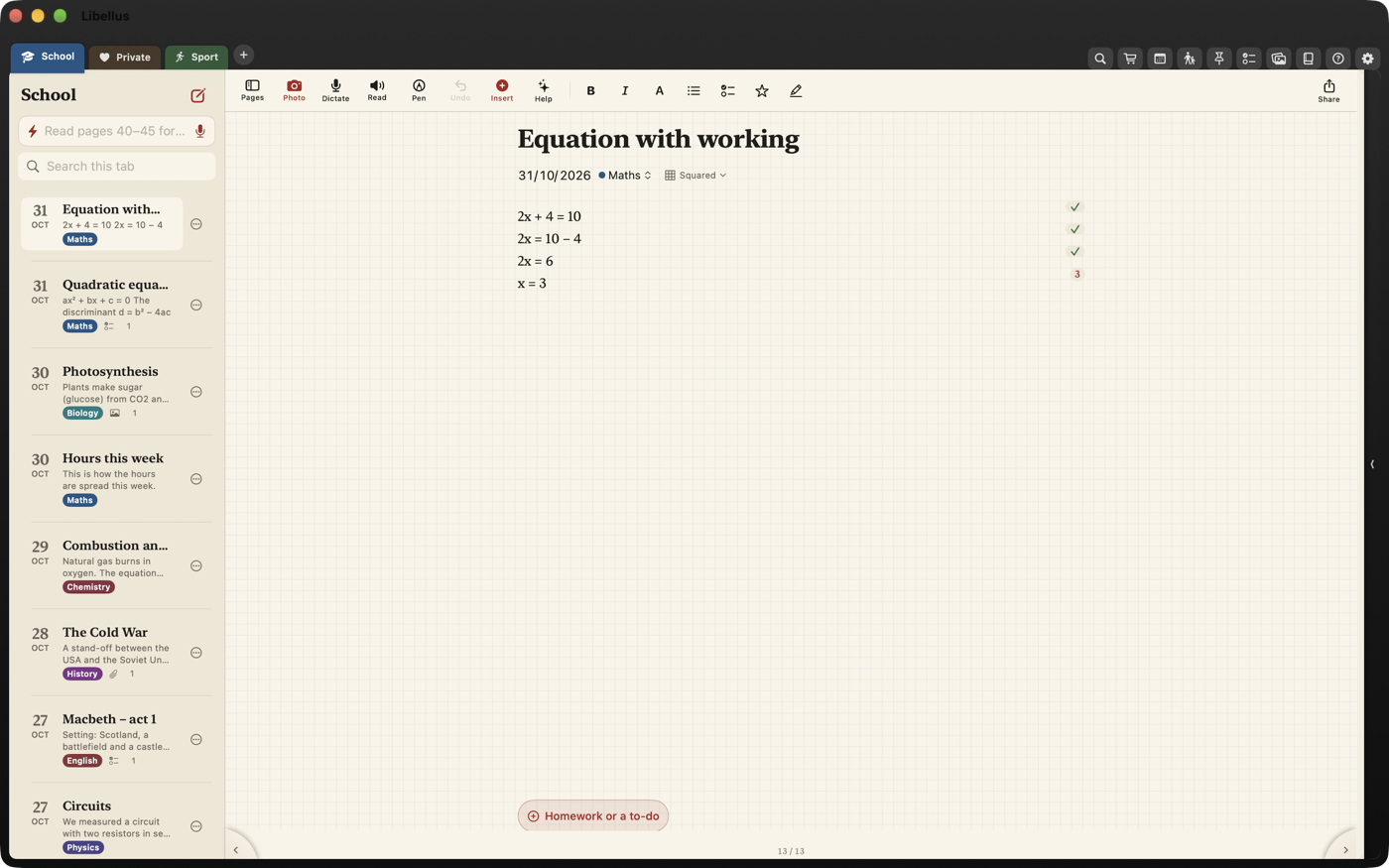
A notebook you actually reach for. Write, dictate, photograph the board or scan a handout — whatever is quickest in the moment — and find it all again later with one search. Everything happens on the device, and everything stays in your own iCloud.
On iPhone, iPad, Mac, Apple Watch and Apple TV — all through your own iCloud.
Catch it before it is gone
Made for students of thirteen and up, and for the adults who never stopped needing a notebook.
Catch it, however you can
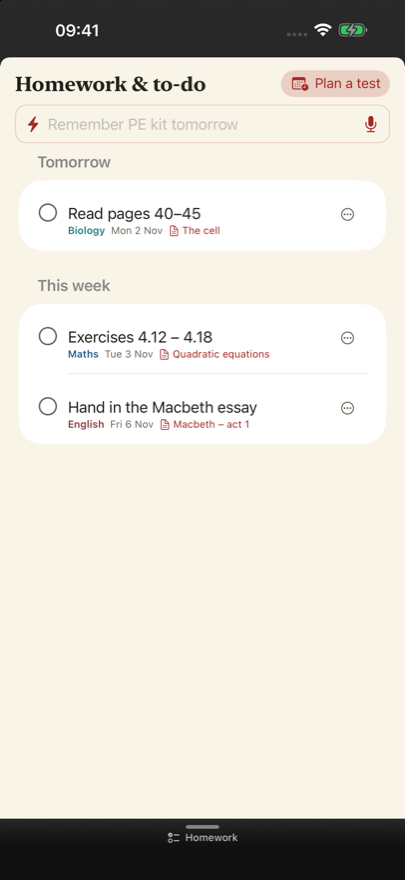
Write, dictate, photograph the board or scan a handout. A line at the top of the page list becomes homework with a date — "maths 4.12 by Friday" is enough. The widget, Siri and the Action button start a page from the Home Screen.
Write the way you like
Type, or write by hand with Apple Pencil. A dot in the margin becomes a bullet, a circle becomes a tick box, a star becomes an action you can tick off — in the note and in the homework list at the same time. Blank, lined or squared paper, per subject.
Find it again
One search across every tab: pages, pictures, tables, formulas and homework. Ask a whole question and Libellus answers from your own notes, shows you the line it took the answer from, and says so plainly when the answer is not there.
School, all the way through
Your timetable, the school's calendar by subscription, flashcards made from your own notes, a reading plan before a test, and a recording of the lesson for when writing cannot keep up.
Maths, physics and chemistry
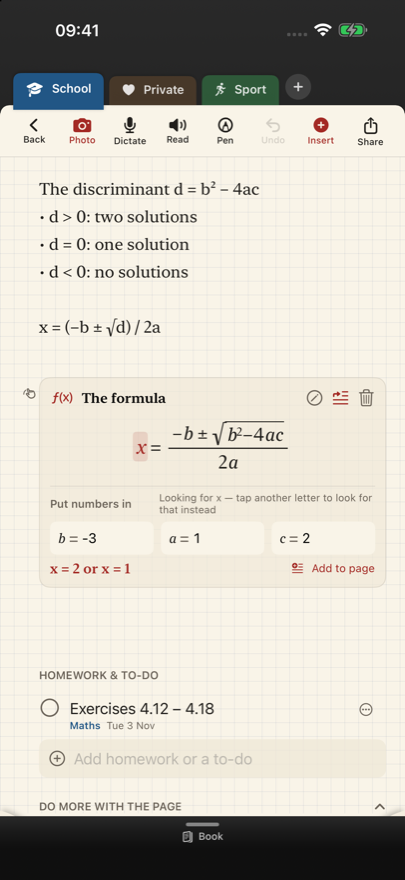
Write a sum on a line and the answer appears in the margin. Tables with charts and a line through the points. A formula book that solves for whichever letter you leave empty. Circuits worked out in full, reactions balanced, molar masses weighed.
On the television, for everyone
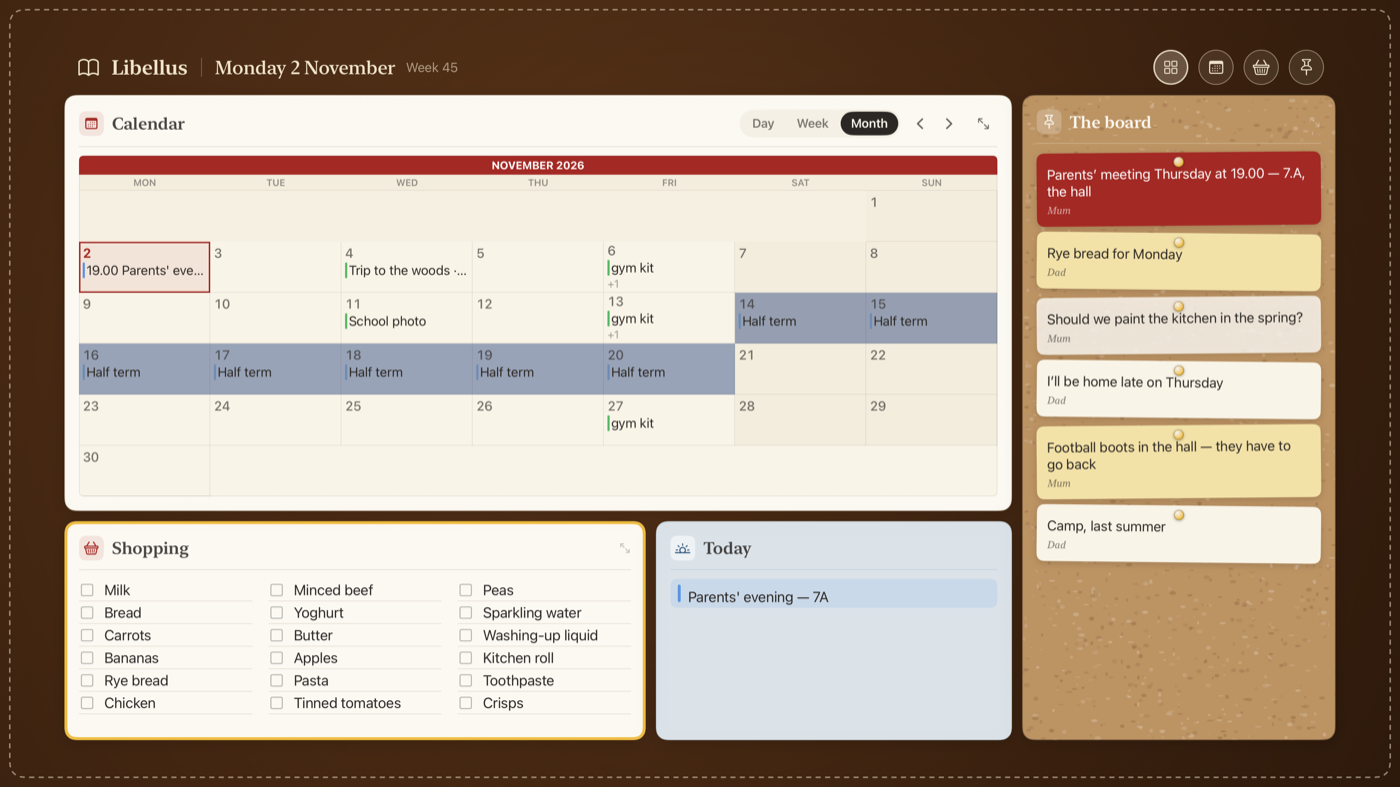
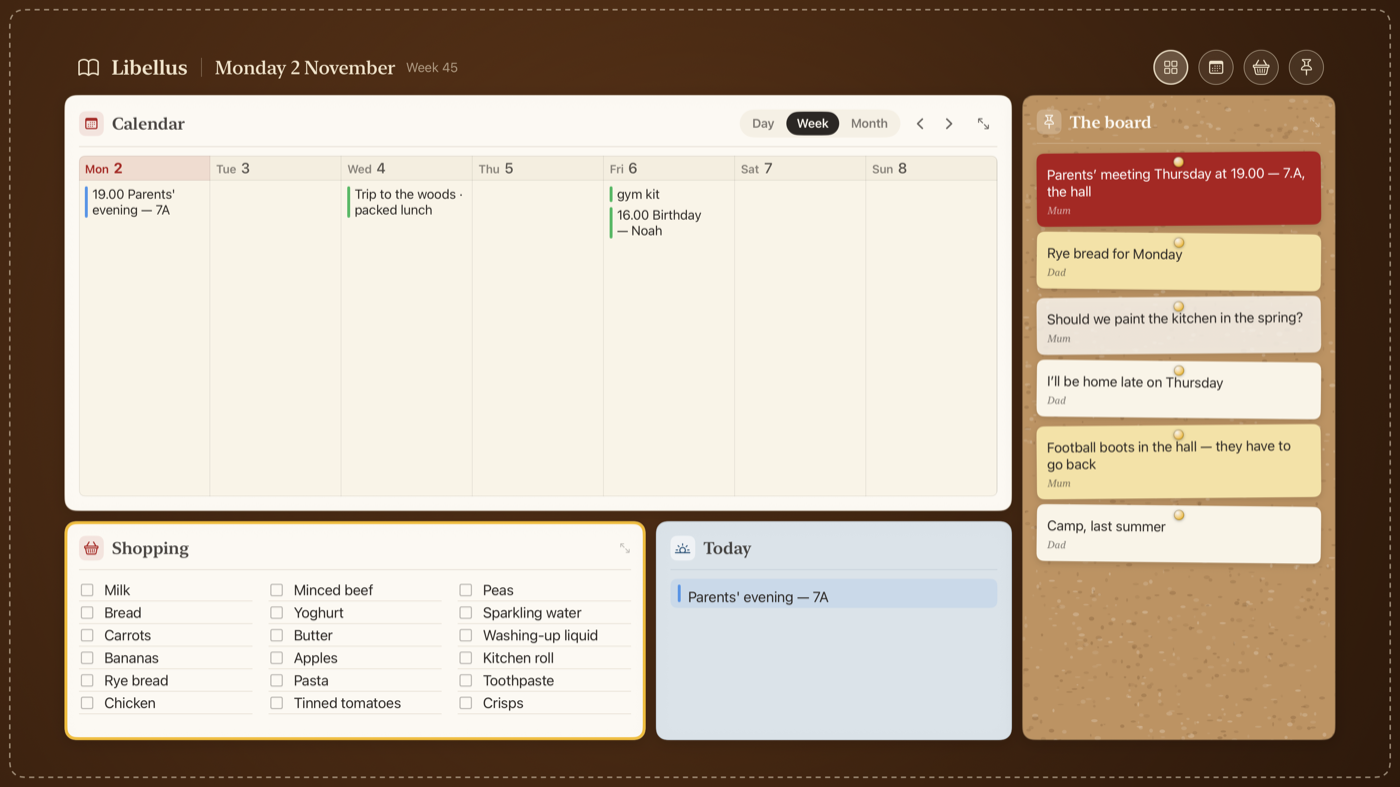
Libellus on Apple TV turns the family's screen into the fridge door: the shopping list, the notice board, the week ahead and whatever anyone chose to put up. It is read from your own iCloud and makes no connection of its own — nothing to sign in to, nothing to tidy.
Share one list, not the book
A wish list can be shared on its own, so a grandparent is invited to that list and sees nothing else — not the week, not the shopping, not the notice board. It stays live rather than becoming a copy: take a wish off and it is gone for everyone. Receiving a shared list is free, and whoever owns it still never sees who took what.
Yours, and nobody else's
Everything lives in your own iCloud and on every device you sign in on. Nothing is sent to us. Lock a tab with Face ID.
Eleven languages for the app itself, and a separate writing language for dictation, handwriting and text in photographs — so you can read the app in one language and write in another.
Free and Pro
Pro is a one-time purchase, not a subscription — and Family Pro covers up to six people.
iOS and iPadOS 18 or newer
macOS 15 or newer
Today, capture and lists on your wrist
The study helpers use Apple Intelligence and need a recent device. On an older one the rest of the app works exactly the same, and you can finish that piece of work later on a device that supports it — it is the same book everywhere. Recording a lesson keeps running when the screen locks, and a Live Activity on the Lock Screen shows the elapsed time and a Stop button the whole time, so it is never recording quietly.
Questions about Libellus?
Getting started, handwriting, the school calendar, the study tools and the family lists — all in the guides.