iPhone · iPad · Mac
StackStore Family
Your household paperwork, finally calm.
Receipts, warranties and important letters in one quiet place, on all your Apple devices. Scan it once. Find it forever. Share it with the family.

What it is
Every household drowns in paper. Receipts under fridge magnets, warranties in shoeboxes, a growing pile of insurance letters. Photograph it, and StackStore reads the text, suggests a category, and finds the warranty date, the serial number and the price by itself — then keeps it all in your own iCloud.
Snap it, and it sorts itself
The paperwork that piles up on the table — captured, understood and searchable.
Scan anything
The iPhone camera, Continuity Camera from a Mac, or straight from your photo library. Perspective and edges are handled for you.
Text recognition
On-device recognition in eleven languages, pulling out the title, the sender, the purchase date, the price, the serial number and the warranty expiry.
On-device intelligence
On devices that support it, a category and a title are suggested with a confidence — without anything leaving your iPhone or Mac.
Family stacks
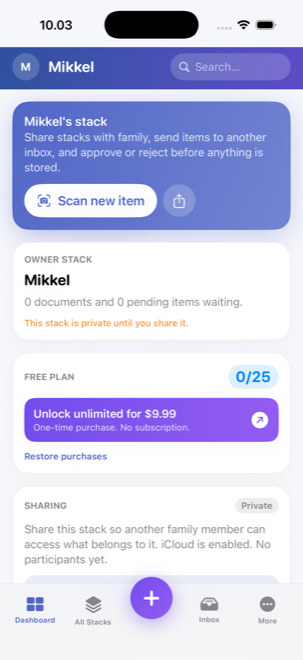
Invite your partner or the family to a shared stack through iCloud. Everyone can send documents in; the owner approves them from the inbox.
Warranty centre
See at a glance which warranties have expired, which expire soon, and which are missing dates — and export a report for your insurer if something goes wrong.
Private & searchable
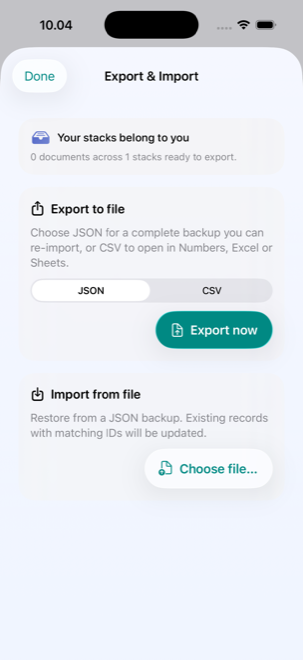
Face ID or Touch ID to lock it, plus Spotlight and Siri: find a receipt by shop, serial number or title from the Home Screen. Widgets show the counts and what is about to expire.
Also included: JSON and CSV export, Siri Shortcuts, App Shortcuts and Live Activities.
How it works
From shoebox to searchable
-
1
Photograph the document
Tap scan on the dashboard — or ask Siri. Take several shots for something with more than one page.
-
2
Check the details
The text is read and the document classified. Check the suggested title, category, date, price and warranty, and correct anything that is wrong.
-
3
Choose an owner and save
Pick who it belongs to and save. In a shared stack, what the family sends in waits in the inbox for approval.
-
4
Find it when you need it
Open it, share it as a PDF, copy a serial number, get a warning before a warranty lapses, or just search for it in Spotlight.
One payment. No subscription.
Start free. Upgrade to Pro once, and it is yours.
iOS 18 or newer
iPadOS 18 or newer
macOS 14 Sonoma or newer
Everything is stored in your own iCloud account — StackStore has no servers and cannot see your documents. Text recognition and classification happen on the device. No third-party tracking. Available in eleven languages.
Questions about StackStore Family?
Scanning, family sharing, the warranty centre, Spotlight and export — all in the guides.