
iPhone · iPad · Mac
Capture Projects
Everything about the project, in one place.
Project controls for the person who steers the job from first drawing to handover — the schedule, the money, the quality and the paperwork, bound together instead of scattered across five tools.
What it is
The schedule is the spine. Every cost line, log entry, finding and document hangs on an activity, so moving a date moves the money, the deliveries and the plan with it. You enter a thing once, and it is everywhere it belongs.
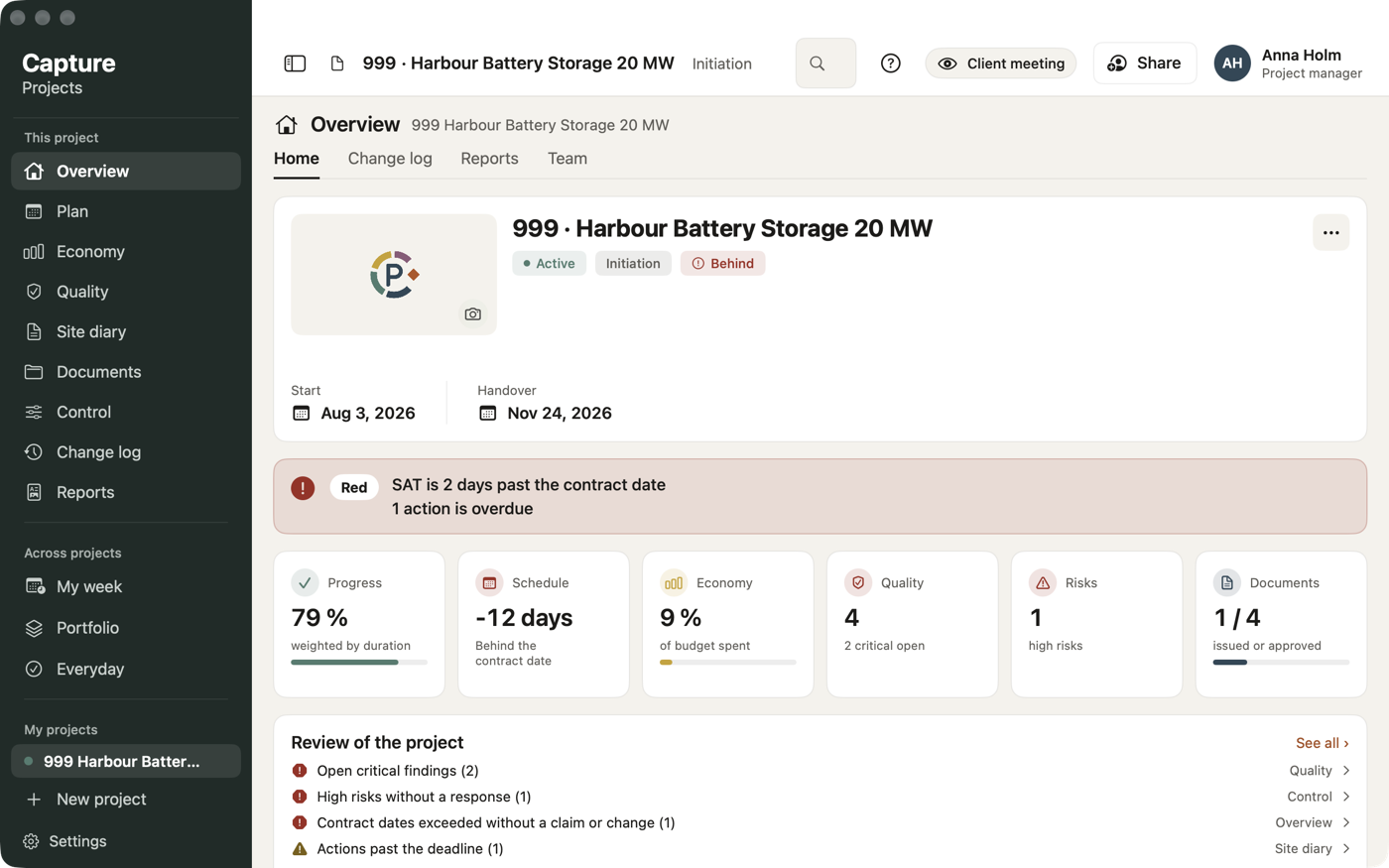
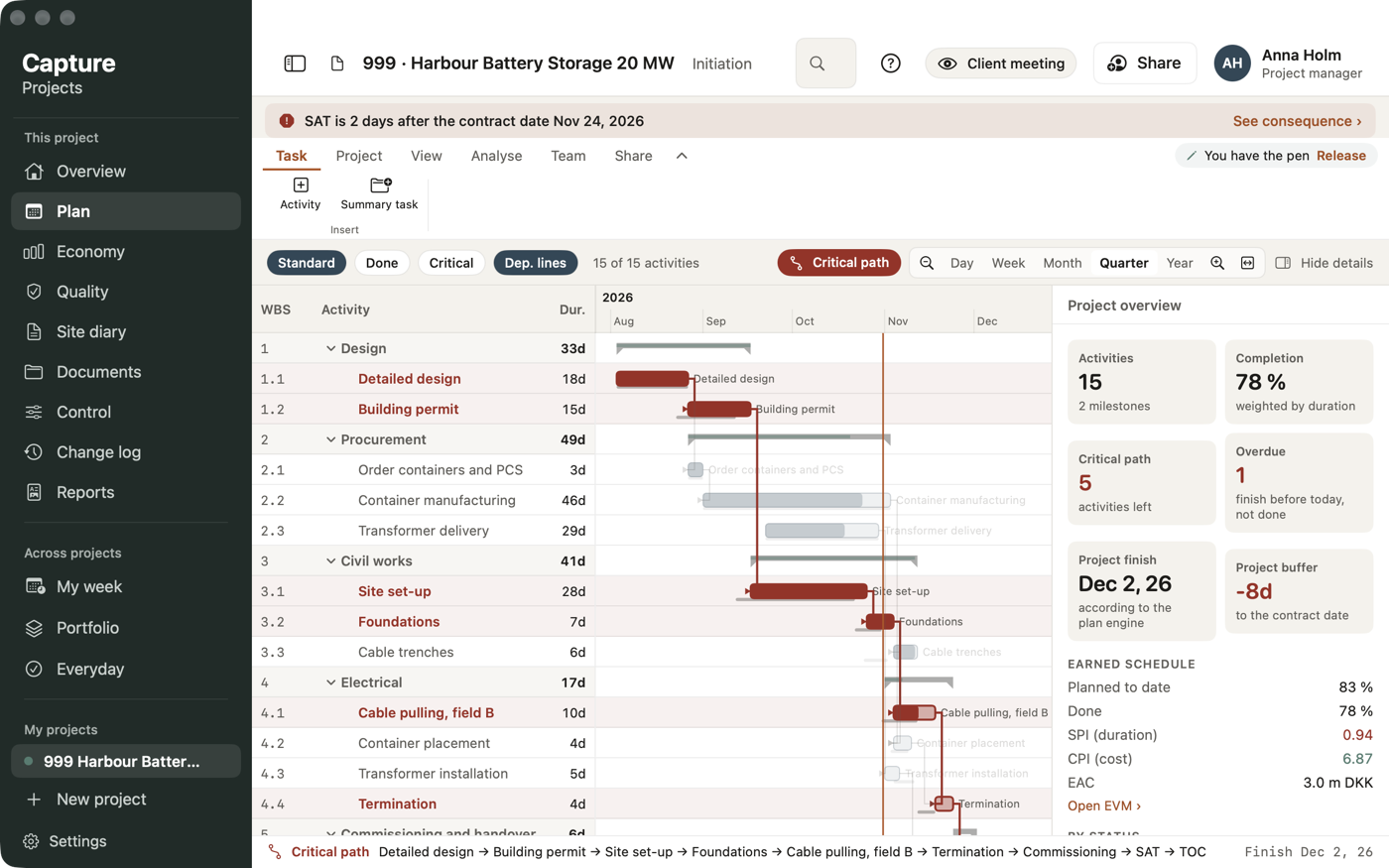
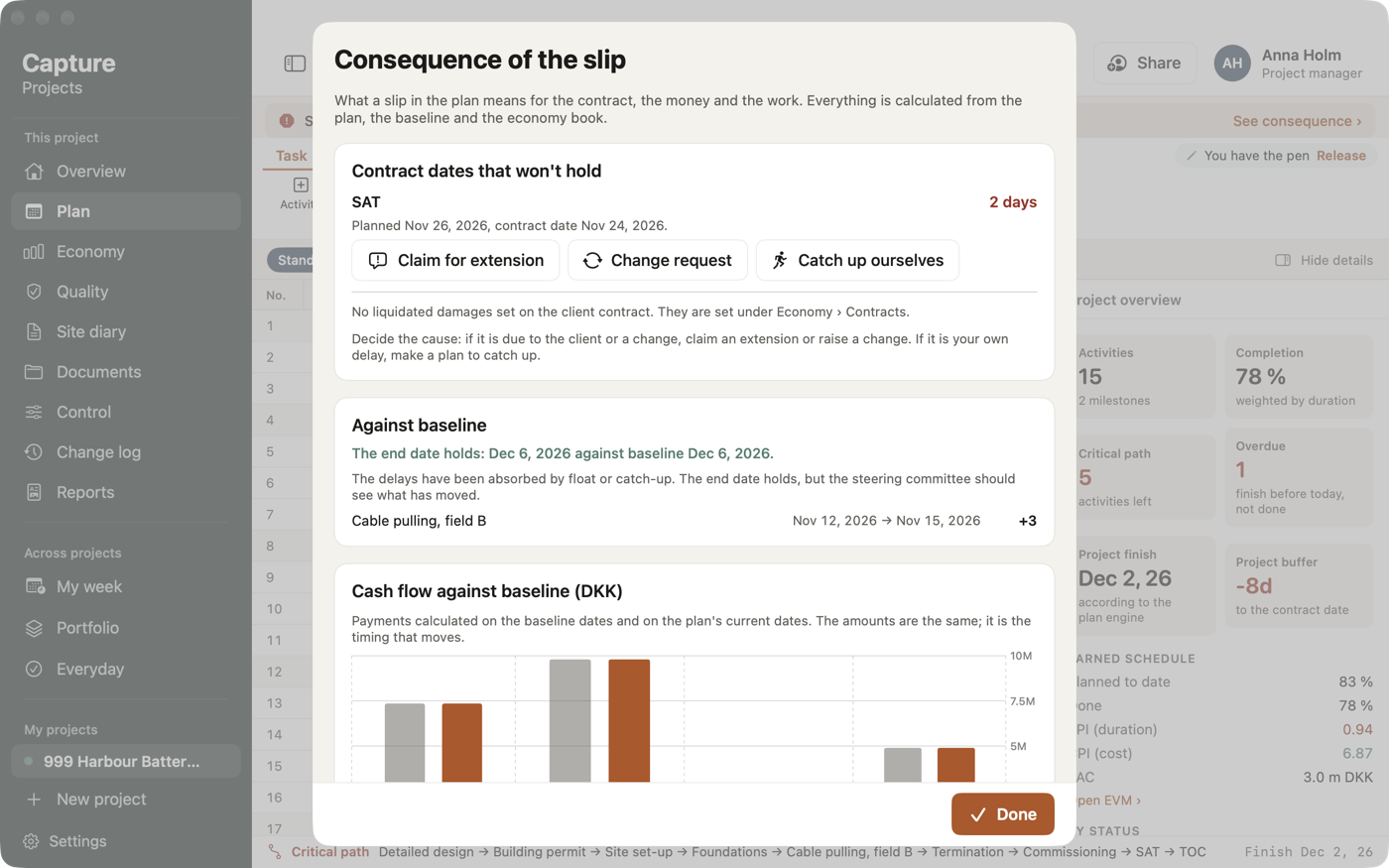
Shown on a Mac. The same project follows you to iPad and iPhone through your own iCloud.
Built so anyone can run a project properly
The idea is simple: the app finds the mistakes, so the project runs without them.
The schedule as the spine
WBS, activities, dependencies and milestones with a working-day critical path. Everything else in the app points at an activity, which is why a changed date ripples the whole way through instead of being re-typed in four places.
Money on the same plan
Contract, variations, payment milestones and supplier commitments tied to the activities that earn them — so the cash-flow forecast moves when the plan moves, not a month later.
Consequence, before you commit
Try a delay or a change and see what it costs: the finish date, the critical path, the cash position and which deliveries are hit. Then keep it or throw it away.
The site, written down
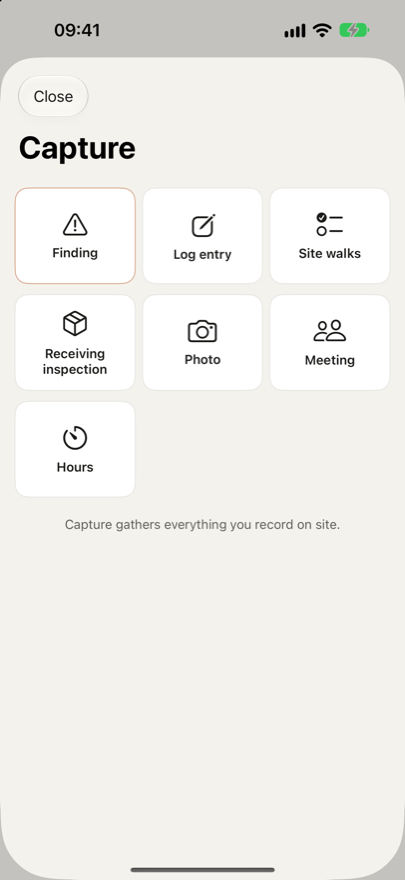
The day log, the photographs, the meetings and the findings — captured in one gesture on site and filed against the activity they belong to.
Quality and documents
Inspections, snags and the document register with revisions and approvals, so what is outstanding before handover is a list rather than a feeling.
The checks an experienced PM would make
Rules that run offline and say what is wrong, why it matters and what to do — pointing at the record so it can be fixed in one click. Never a check that only nags.
Where the team already is
Send the status to Microsoft Teams, Slack, Discord or Google Chat, and the report tables to Notion — straight from your device, to a channel you connect yourself. A channel message never carries an amount. Procurement can keep the key delivery dates in Notion, and the app brings a changed date back as a proposal you accept line by line.
The five focused apps carry on as products in their own right. Capture Projects is for the project manager who would rather have one.
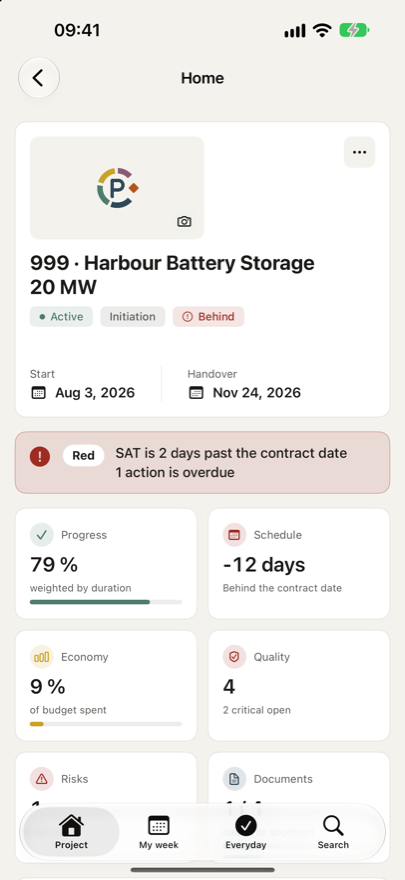
Made for the person who answers for the project
Not on the App Store yet
Capture Projects is still being built. It is the one we are building towards, and it will arrive when it is finished rather than when it would be convenient to announce.
Capture and status on the go
Desktop-class planning
The full control room
Offline first, syncing through your own iCloud. One place for the truth — no server of ours in the middle, and nothing to enter twice.
Questions about Capture Projects?
Write to us if you would like to hear when it is ready, or if there is something your projects need that is not described here.